Image to Video AI: From Static Images to Cinematic AI Videos
Try it nowImgtovid AI Team
8 min read
Image to Video AI: From Static Images to Cinematic AI Videos
A great image captures a moment.
But today, that moment does not have to stay still.
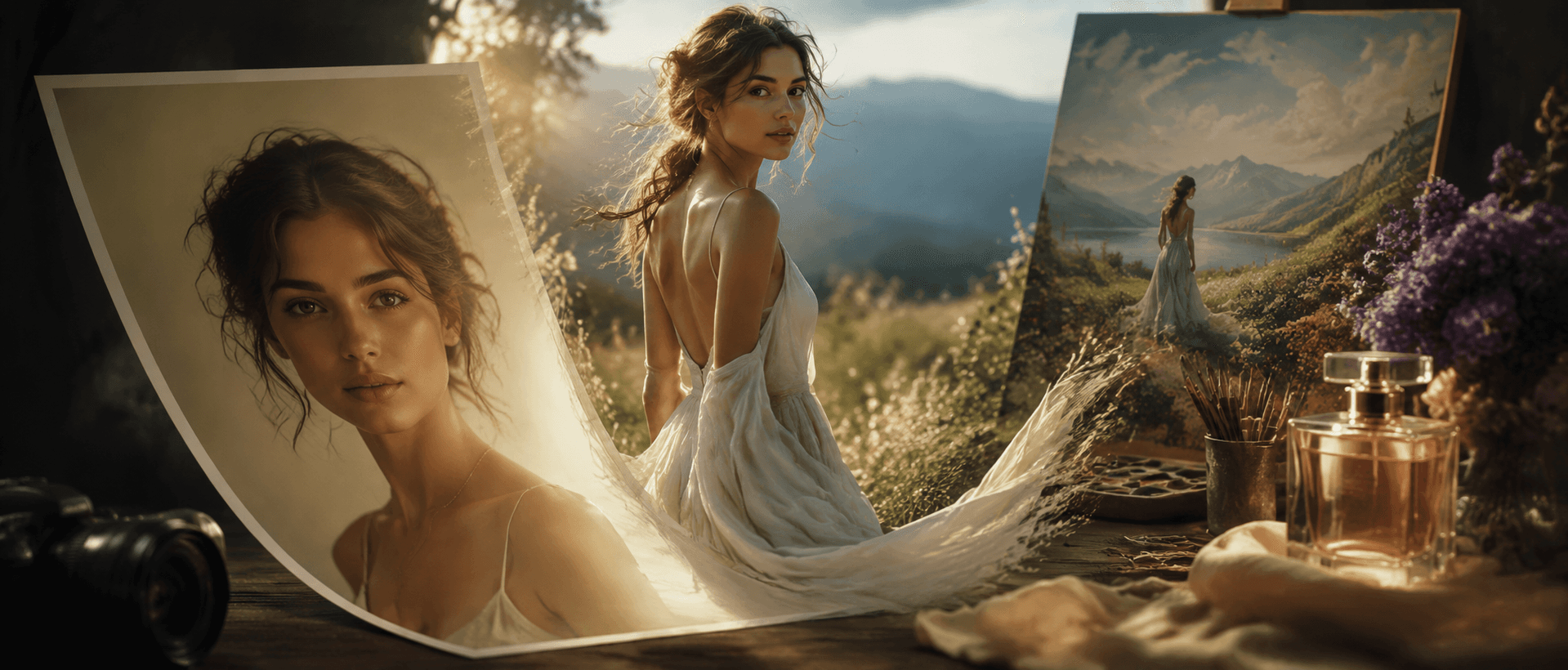
With the development of Image to Video AI, creators can transform ordinary photos, AI-generated artwork, product images, and illustrations into dynamic videos with realistic motion, cinematic camera effects, and engaging visual storytelling.
A portrait can become a living character with subtle expressions.
A product image can become a professional advertisement.
A landscape photo can become an immersive travel scene.
An illustration can evolve into an animated world.
Unlike traditional animation workflows that require manual keyframes and complicated editing software, AI-powered video generation allows creators to start with a single image and describe the movement they want to create.
However, generating high-quality AI videos is not simply about uploading an image and clicking generate.
The best results come from understanding:
How AI interprets images
What movement works best for different visuals
How to write effective image to video prompts
How to avoid common AI generation problems
This guide explores how Image to Video AI works, practical creation strategies, real generation examples, prompt techniques, and workflows for creating better AI videos.
What Is Image to Video AI?
Image to Video AI is an artificial intelligence technology that converts static images into moving video sequences.
Instead of manually creating animations frame by frame, AI analyzes the visual information inside an image and generates realistic movement based on the subject, environment, and user instructions.
For example:
A portrait can be transformed into a cinematic video with:
Natural blinking
Facial expressions
Hair movement
Camera zoom effects
A product photo can become a marketing video with:
Smooth camera rotation
Lighting changes
Premium presentation effects
A landscape image can become a dynamic scene with:
Moving clouds
Flowing water
Atmospheric effects
The difference between traditional animation and AI image animation is that AI first attempts to understand the image itself.
It analyzes the relationship between objects, depth, lighting, and visual style, then generates motion while preserving the original appearance.
This makes AI image to video technology useful for creators, marketers, designers, and businesses that want to produce engaging visual content faster.
How Image to Video AI Works
Although the process feels simple, multiple AI technologies work together behind the scenes.
Image Understanding
The AI first analyzes the uploaded image.
It identifies:
Main subjects
Objects
Background elements
Depth relationships
Lighting conditions
Artistic style
This helps the model understand which elements should move and which should remain stable.
For example:
A person's face should maintain the same identity while adding subtle expressions.
A product should remain unchanged while the camera creates movement around it.
A landscape should maintain its composition while adding environmental effects.
Motion Prediction
After understanding the image, AI predicts how the scene could naturally change over time.
Different images require different movement patterns.
Examples:
Portrait
Eye movement
Facial expression changes
Hair movement
Product
Rotation
Reflection changes
Camera movement
Landscape
Weather effects
Natural motion
Perspective changes
The goal is not to create random animation.
The goal is to create believable motion.
Video Frame Generation
The AI generates additional frames that connect the original image with the final animation.
A high-quality result depends on:
Smooth transitions
Stable details
Natural movement
Consistent appearance
This is why source image quality and prompt accuracy have a major impact on the final video.
What Makes a High-Quality AI Video?
Many users believe that more movement means better AI video.
In reality, professional-looking results usually depend on three important factors.
Natural Motion
The strongest AI videos often use subtle movement.
For example, a portrait does not need dramatic body movement to feel alive.
Small details can create realism:
A gentle smile
Natural blinking
Hair moving in the wind
Slow camera movement
Overly complex actions often increase the chance of visual errors.
Visual Consistency
A successful image to video generation should preserve the original image.
Common problems include:
Changing faces
Unstable objects
Distorted hands
Different clothing details
Good AI animation adds movement without destroying the original visual identity.
Storytelling
A video should communicate an idea, not only create movement.
Compare these two prompts:
Basic:
A woman walking.
Advanced:
A fashion model walking through a rainy Tokyo street at night, neon reflections on the ground, cinematic tracking shot, realistic film lighting.
The second prompt provides:
A location
A mood
Camera direction
Visual purpose
AI performs better when it understands the story behind the image.
Core Capabilities of Image to Video AI
Modern AI video generators provide much more than simple animation.
Animate Images with AI
The fundamental ability of image to video AI is transforming static visuals into moving scenes.
Popular applications include:
Portrait animation
Character videos
Product showcases
Pet videos
Artwork animation
The best approach is to match movement with the image type.
A portrait benefits from expression and camera movement.
A product benefits from cinematic presentation.
An illustration benefits from environmental storytelling.
Cinematic Camera Movement
Camera motion is one of the easiest ways to make AI videos feel professional.
Common techniques include:
Slow Zoom In
Creates emotional focus.
Tracking Shot
Creates a movie-like feeling.
Orbit Camera
Works well for products and objects.
Drone Movement
Works well for landscapes and travel scenes.
Adding camera direction to an image to video prompt can significantly improve the final result.
Character and Style Consistency
For AI characters and illustrations, maintaining identity is essential.
A good workflow preserves:
Facial features
Clothing
Character design
Artistic style
This makes image-to-video technology useful for:
AI avatars
Digital characters
Storytelling videos
Social media content
Environmental Animation
Small environmental effects can dramatically improve visual quality.
Examples:
Rain
Snow
Smoke
Floating particles
Wind
Lighting changes
These details create depth and make a static image feel like a real scene.
Choosing the Right Motion Strategy for Different Images
Different images require different animation approaches.
Portrait Images
Best strategy:
Use subtle human movement.
Recommended:
Natural facial expressions
Slight head movement
Hair motion
Slow camera push-in
Avoid:
Extreme movement
Large body actions
Unrealistic expressions
Product Images
Think like a commercial filmmaker.
Focus on:
Camera movement
Lighting
Presentation
Recommended:
Product rotation
Macro shots
Studio lighting
Cinematic reveal
Anime and Illustration Images
Do not only animate the character.
Animate the world around it.
Better prompt:
Anime character standing in a fantasy forest, hair moving gently, glowing particles floating, cinematic camera movement.
The environment creates immersion and helps AI generate a more complete scene.
Landscape Images
Use atmosphere.
Recommended:
Moving clouds
Water movement
Fog
Birds
Camera movement
Landscape videos work best when the viewer feels transported into the scene.
Pet Images
Focus on natural behavior.
Recommended:
Head movement
Tail movement
Walking
Playful expressions
Avoid forcing unrealistic actions.
Real Image to Video AI Generation Tests
Test 1: Portrait to Cinematic Video
Input
A high-resolution outdoor portrait.
Goal
Create a realistic cinematic portrait video.
First Prompt
A woman smiling outdoors.
Problem
The result looked static.
The prompt lacked:
Camera direction
Environmental details
Motion description
Optimized Prompt
A young woman standing outdoors during golden hour. She smiles naturally, her hair moves gently in the wind. Slow cinematic camera push-in, warm sunlight, shallow depth of field, realistic film style.
Key Improvement
The AI received:
Subject movement
Environmental motion
Camera instructions
Visual style
Lesson:
For portraits, realistic small movements usually outperform dramatic animation.
Test 2: Product Photo to Advertisement
Input
A premium headphone product image.
First Prompt
Make this product move.
Problem
The result created movement but lacked commercial quality.
Optimized Prompt
Premium wireless headphones in a luxury studio environment. Slow 360-degree camera rotation, cinematic product reveal, soft reflections, professional advertising style, macro close-up.
Key Improvement
The prompt changed the goal from:
“Animate the product”
to:
“Create a product commercial.”
Lesson:
For product videos, camera movement often matters more than object movement.
Test 3: Anime Character Animation
Input
Fantasy anime character artwork.
First Prompt
Animate this anime character.
Problem
The character moved, but the scene felt empty.
Optimized Prompt
Fantasy anime character in an enchanted forest. Hair moves softly in the wind, glowing particles float around, leaves move naturally, cinematic anime movie style.
Key Improvement
The AI received:
Character action
Environment
Atmosphere
Style
Lesson:
For illustrations, animate the entire scene, not only the subject.
Test 4: Landscape Travel Video
Input
Mountain lake sunrise photo.
First Prompt
Make this landscape cinematic.
Problem
The instruction was too general.
Optimized Prompt
Cinematic drone shot over a mountain lake at sunrise. Morning mist moves across the water, clouds drift slowly, birds fly in the distance, warm golden lighting.
Lesson:
Environmental motion creates the strongest effect for landscape videos.
Test 5: Pet Animation
Input
A dog photo.
First Prompt
Make the dog dance.
Problem
The action was too complex.
The AI struggled with realistic movement.
Optimized Prompt
A happy dog outdoors, wagging its tail naturally, gentle head movement, playful expression, slow camera zoom, realistic pet video style.
Lesson:
Natural behavior creates better results than forced actions.
Why AI Videos Fail and How to Fix Them
Face Changes During Animation
Possible causes:
Low-quality source image
Excessive movement
Unclear facial details
Solutions:
Reduce motion intensity
Focus on subtle expressions
Unnatural Body Movement
Possible causes:
Complex actions
Impossible poses
Too many instructions
Solution:
Start with simple movement and gradually increase complexity.
Video Looks Boring
Cause:
The prompt only describes the subject.
Weak:
A person walking.
Better:
A person walking through a rainy city street, cinematic tracking shot, dramatic lighting.
Add:
Camera
Environment
Mood
Image to Video AI Prompt Framework
A strong image to video prompt usually contains six layers.
Subject
Who or what is shown?
Example:
A young woman
Motion
What happens?
Example:
Walking slowly, hair moving naturally
Camera
How should the scene be filmed?
Example:
Cinematic tracking shot
Environment
Where does it happen?
Example:
Rainy Tokyo street
Style
What visual direction?
Example:
Realistic film style
Mood
What emotion?
Example:
Calm and cinematic
Complete prompt:
A young woman walking slowly through a rainy Tokyo street, hair moving naturally, cinematic tracking shot, neon reflections, realistic film style, calm atmosphere.
Frequently Asked Questions
What images work best for Image to Video AI?
High-resolution images with clear subjects, good lighting, and simple compositions usually produce better results.
How long should an image to video prompt be?
A good prompt does not need to be extremely long. Focus on subject, movement, camera, environment, and style.
Why does my AI video look unnatural?
Common reasons include unclear prompts, excessive movement, poor image quality, or unrealistic actions.
Can AI animate generated images?
Yes. AI-generated artwork, illustrations, portraits, and product images can all be transformed into videos.
Can Image to Video AI create marketing videos?
Yes. Businesses use AI video generation for product demonstrations, advertisements, social media content, and creative campaigns.
How can I improve my AI video results?
Start with a strong image, describe realistic movement, add camera direction, and test different prompts.
Create Your First AI Video from an Image
Image to Video AI is changing how creators approach visual storytelling.
A static image is no longer the final product.
It can become the beginning of a story.
With the right image, motion strategy, and prompt, creators can transform photos, illustrations, products, and artwork into engaging AI-generated videos.
Whether you are creating social media content, marketing videos, digital characters, or creative experiments, ImgToVid AI makes it easier to bring static visuals to life.
Start with one image, experiment with different prompts, and discover how AI can turn your ideas into motion.
Iron Goddess AI: A New Video Model Worth Watching?
Explore the Iron Goddess AI video model rumors, its visual style, possible links to ByteDance Seedance, and what we know about its origins.
Kling 4.0 vs Seedance 2.5: AI Video Generation Comparison