Welcome to ImgToVid AI

or
🎁Get 50 free credits after sign in

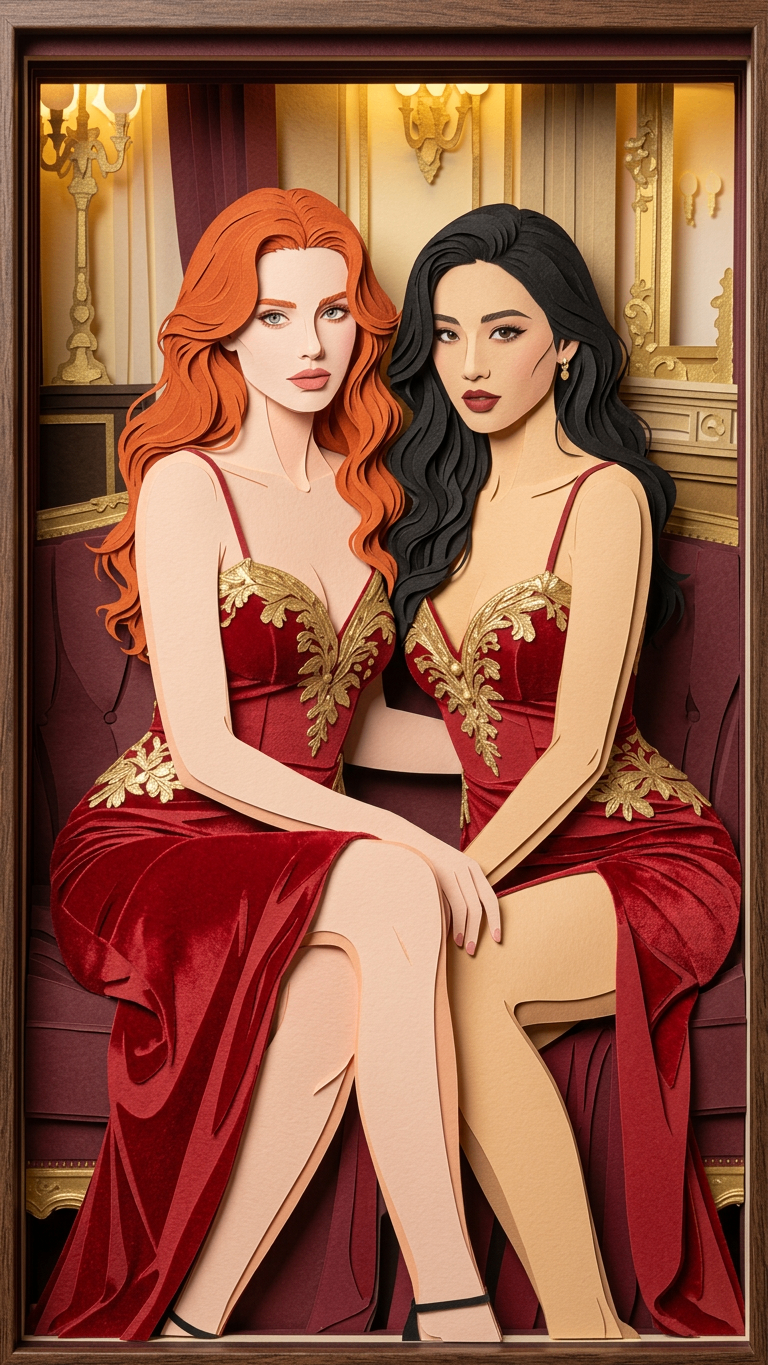
AI切り紙画像ジェネレーター

写真をアップロードするだけで、すぐに印象的なAI切り紙アートを取得。ワンクリックでレイヤー感のある紙のシーンへ変換。

アップロードして生成

AI切り紙アートジェネレーター

Image 1

最大1枚までアップロード

結果

SeedDance-image-ai-1

No Generation History

Enter a prompt and click "Generate Image" to start creating! Your artwork will be displayed here.

AI切り紙ジェネレーターの活用シーン

漫画・ストーリーボード

ラフスケッチをアップロードし、AI切り紙風の冒頭コマやリアクションカットを即生成。独自の視覚リズムを作り、本番前に物語の流れを整理するのに最適。

絵本・イラスト

実写真を小さな読者向けに、やわらかくレイヤー感のあるイラストへ。AI切り紙ジェネレーターは複雑な画像を明瞭で感情に響くビジュアルにし、手作りの温かみを物語に添えます。

キャラデザイン・シルエット検証

キャラのポートレートをアップロードし、強いシルエットと衣装の軸を定義。高コントラストのAI切り紙効果で、フォームと配色がスタイル化されたアート形式でどう見えるかをプレビュー。

アニメーションのレイアウトと奥行き設計

シーン参考をアップロードし、前景と背景がはっきり分かれたフレームを作成。AI切り紙のレイヤー分けは、アニマティックでのステージング、レンズ感、奥行きの計画を助けます。

一貫したマーケティングとブランディング

キービジュアルや商品写真をアップロードし、統一感のあるポスターとサムネイルを生成。単一のAI切り紙スタイルの方向性で、全プラットフォームに芸術的で一貫したブランドルックを維持。

AI切り紙ジェネレーターを選ぶ理由

統一されたアート・アイデンティティ

画像をAI切り紙ジェネレーターに入れてビジュアルIDを統一。さまざまな写真を一つのプロジェクトに属するような切り紙美学へ。

写真からアートへ、制作を効率化

複雑な下描きを省略し、実写真やラフをアップロードして高品質なAI切り紙素材を即生成。元の構図を保ちつつ、プロ品質の手作り感テクスチャを追加。

方向性を失わない高速イテレーション

参考をAI切り紙ダッシュボードにアップロードしてルックを素早く試す。物語の意図を保ちながらコンセプトを反復し、手作業のスタイル調整を削減。

ユーザーが語る AI切り紙ジェネレーター

Review

David K.

The AI Paper Cut generator is absolutely insane! I uploaded a single photo from my last vacation, and suddenly it’s a high-level paper art piece. The way it handles the shadow depth and the layered thickness of the paper edges feels so authentic.

Verified
Review

@creative_artist

As an illustrator, I’m impressed by the technical accuracy. This AI Paper Cut tool doesn't just apply a flat filter; it actually reconstructs the image into realistic physical layers. It’s perfect for creating unique, high-contrast content for my followers.

Verified
Review

@pixel_master

I’ve tried other artistic AI tools, but this is the best AI Paper Cut generator for single-photo conversion. The layering is crisp, and it doesn't blur the fine details even in complex backgrounds. The HD output is professional grade.

Verified
Review

Li Wei

The processing speed is top-notch. I had a full handcrafted-style masterpiece ready in under two minutes. For an SEO specialist looking to generate viral AI visual content quickly, this tool is a total productivity hack.

Verified
Review

Sophie Moore

I used a Ghibli-style character portrait, and the AI Paper Cut generator maintained the artistic aesthetic perfectly while adding that beautiful 3D stacked-paper effect. It’s rare to find a tool that respects the original art style this well during transformation.

Verified
Review

@design_vibe

Super user-friendly! No need for complex Photoshop layers. Just one clear photo, and the AI transforms it into a blockbuster-style paper-cut scene. It’s the easiest way to turn any portrait into high-end gallery art for social media.

Verified
Review

David K.

The AI Paper Cut generator is absolutely insane! I uploaded a single photo from my last vacation, and suddenly it’s a high-level paper art piece. The way it handles the shadow depth and the layered thickness of the paper edges feels so authentic.

Verified
Review

@creative_artist

As an illustrator, I’m impressed by the technical accuracy. This AI Paper Cut tool doesn't just apply a flat filter; it actually reconstructs the image into realistic physical layers. It’s perfect for creating unique, high-contrast content for my followers.

Verified
Review

@pixel_master

I’ve tried other artistic AI tools, but this is the best AI Paper Cut generator for single-photo conversion. The layering is crisp, and it doesn't blur the fine details even in complex backgrounds. The HD output is professional grade.

Verified
Review

Li Wei

The processing speed is top-notch. I had a full handcrafted-style masterpiece ready in under two minutes. For an SEO specialist looking to generate viral AI visual content quickly, this tool is a total productivity hack.

Verified
Review

Sophie Moore

I used a Ghibli-style character portrait, and the AI Paper Cut generator maintained the artistic aesthetic perfectly while adding that beautiful 3D stacked-paper effect. It’s rare to find a tool that respects the original art style this well during transformation.

Verified
Review

@design_vibe

Super user-friendly! No need for complex Photoshop layers. Just one clear photo, and the AI transforms it into a blockbuster-style paper-cut scene. It’s the easiest way to turn any portrait into high-end gallery art for social media.

Verified

AI切り紙画像ジェネレーターの使い方

1

写真をアップロード

写真またはスケッチをアップロードしてAI変換を開始。

2

AI切り紙を生成

「生成」をクリックすると、AI切り紙ジェネレーターが画像をレイヤー構造の作品へ再構築します。

3

保存して創作へ

高品質なレイヤーアートをダウンロードし、漫画・絵本・ストーリーシーンに活用。

よくある質問

AI切り紙ジェネレーターとは?

アイデアや画像を独特の「レイヤー」美学の作品へ変える強力なクリエイティブツール。実際の紙の質感・影・厚みをシミュレートし、漫画、絵本、ゲームの絵コンテ、キャラコンセプトに最適なビジュアルを生成します。

写真を切り紙アートに変えるには?

写真またはスケッチをアップロードするだけ。AI切り紙ジェネレーターが構図と輪郭を自動解析し、高度なアルゴリズムで繊細な光と影の多層作品へ即時再構築。手動編集は不要です。

生成画像は商業漫画やプロ案件に使えますか?

はい。実際のクリエイターワークフロー向けに設計され、高解像度とシャープなエッジを備えます。絵コンテ参考、書籍イラスト、ポスター表紙、ゲームの環境コンセプトアートに適しています。

なぜこのスタイルは物語やシーン設計に向く?

切り紙スタイルは空間的奥行きと手作り感を自然に与えます。AI切り紙ジェネレーターは影の深さで前景・中景・背景を明確に分け、コマやシーンに独特の芸術的緊張と温かい雰囲気を加えます。