Pregnant AI Filter
Create high-fidelity maternity visualizations with our professional pregnant AI filter.
Upload & Generate
Results
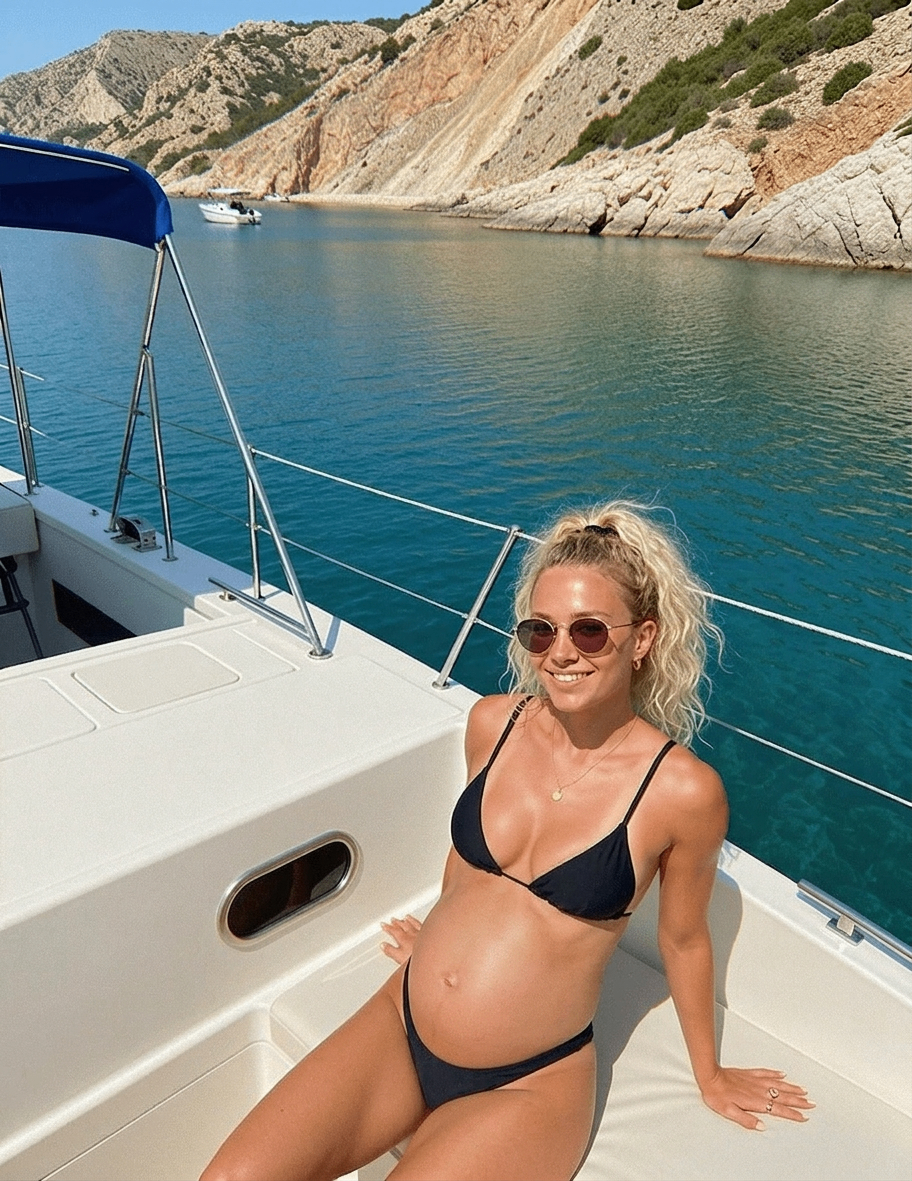
Generation continues in Create Studio
Application Scenarios for Pregnant AI
Social Media Pranks & Engagement
Want to go viral on TikTok or Instagram? Share a hyper-realistic pregnancy transformation to surprise your friends and family. It’s the ultimate icebreaker and a perfect tool for creating high-engagement content that sparks instant conversation.
Personal Curiosity & Future Visualization
For those planning a family or simply curious about the future, this tool lets you visualize your pregnancy glow in advance. Seeing yourself with a bump can create a unique emotional connection and a beautiful glimpse into a life milestone.
Photography Pre-visualization & Proofing
Professional photographers and clients can use this tool for 'Creative Proofing' before booking an expensive maternity shoot. Quickly preview how different outfits and angles look with a bump to plan the perfect session more efficiently.
Character & Costume Design
Content creators, filmmakers, or cosplayers can use this generator to design looks for specific roles. Skip the expensive SFX makeup or uncomfortable foam bumps—get high-quality visual references for your characters instantly.
Digital Trends & Parallel Universe Challenges
Join the latest 'What if?' or 'Parallel Universe' digital challenges. Using high-quality Pregnant AI transformations helps your profile stand out among trending hashtags, helping you reach a broader audience with trend-setting content.
Why choose our pregnant AI filter?
You stay recognizable
The Pregnant AI filter keeps your facial identity—eye shape, nose, and expression—while focusing the change on a plausible maternity silhouette so the result still looks like you.
No watermark clutter
Download your visualization instantly without intrusive watermarks, ready to share or drop into your creative workflow.
Sharp, detailed output
High-resolution processing helps preserve skin texture, fabric folds, and background details even after the maternity effect is applied.
How to use Pregnant AI filter
Upload your photo to the Pregnant AI workspace
Pick a clear portrait or full-body shot and upload it to the pregnant AI dashboard. Well-lit images make bump placement and body proportions look more natural.
Run the pregnant AI transformation
Start the model to add a realistic bump and adjust torso contours while keeping your pose, outfit patterns, and facial features as consistent as possible with the original.
Preview and download
Review the result in the dashboard. When you’re happy with lighting, skin texture, and preserved clothing, download the final image for personal or creative use.
FAQs
How realistic is the pregnancy look? Will I still look like me?
Our pipeline prioritizes identity preservation: your face stays true to the reference while the edit emphasizes a natural-looking bump and torso changes. Results are artistic visualizations, not medical predictions.
Will the pregnant AI filter warp my clothes or the background?
The Pregnant AI filter tries to separate you from the scene. Clothing prints, accessories, and background lines should stay stable while the maternity effect focuses on the body and midsection.
Is my photo privacy guaranteed?
Your privacy comes first. Uploads are handled in a secure, encrypted environment. We do not use your personal photos to train unrelated models or sell them to third parties without your explicit consent.
Which photos work best?
Use a well-lit, front-facing portrait or a three-quarter to full-body frame with a visible torso. Clear separation between you and the background helps Pregnant AI filter place a bump that matches your proportions.